BLOG
Could a Single Request Take Down Your Server? Why You Can't Ignore Multer's Vulnerabilities
If you've ever written a file upload handler in Node.js/Express, you've almost certainly used Multer. Between 2025 and 2026, seven HIGH-severity vulnerabilities were disclosed in the 1.x line — all fixed in 2.x. Here's how they work and how to fix them, explained with everyday analogies.
That multer package you reach for whenever you handle image uploads? Since 2025, seven HIGH-severity vulnerabilities have been disclosed against it in rapid succession. Vulnerabilities can sound intimidating, but if you ignore these your service might suddenly stop working one day — without warning.
This post walks junior engineers through what Multer actually does, the real shape of these issues, and a five-minute fix you can ship today.

① So what does Multer actually do?
If you’ve ever wired up file upload in Express, you’ve touched multer. But put on the spot, can you explain what problem it solves?
When the browser sends data via <input type="file">, it arrives inside the HTTP request as one giant chunk of text. The format is Content-Type: multipart/form-data — a peculiar wire format where multiple files and form fields are concatenated together.
Node.js can’t treat that raw blob as files directly. Multer is the “sorting clerk” who takes that messy bundle, separates out the images and PDFs, writes them to disk, and hands you a clean req.file / req.files object.

import multer from "multer";

const upload = multer({ dest: "uploads/" });

app.post("/upload", upload.single("photo"), (req, res) => {
  // req.file already has the saved path and file metadata
  res.json({ saved: req.file.path });
});
A few lines and file uploads just work — because the clerk is doing all the paper-shuffling backstage.
② These vulnerabilities, explained with an analogy
Normally it goes like this:
You: “Hey, sort this multipart request — split out the images from the text and save them.”
Clerk (Multer): “Got it. Three milliseconds.”
What these CVEs reveal is a series of ways an attacker can deliberately send the clerk into a panic.
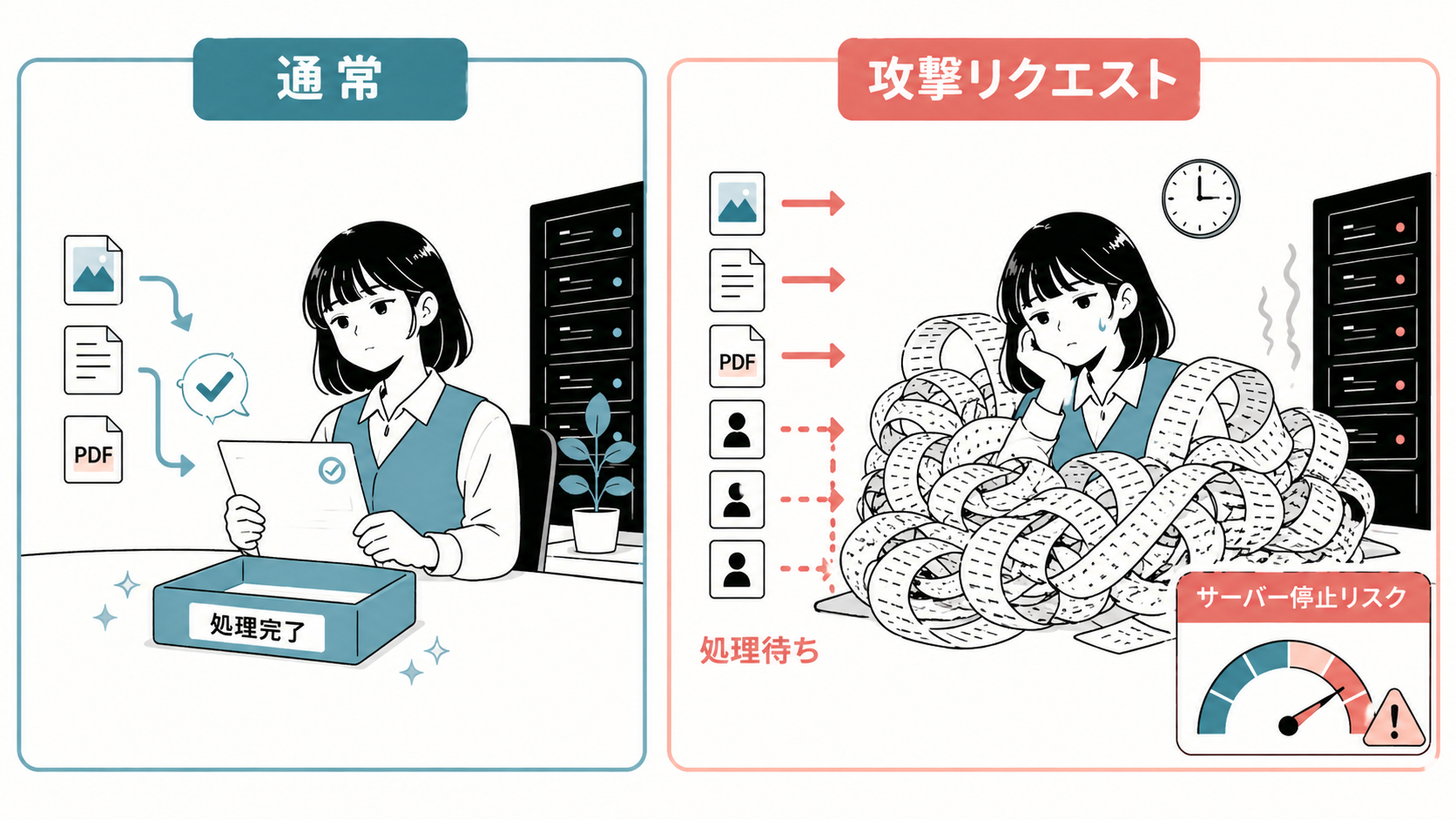
Concretely, an attacker can send requests like:
- Documents with empty field names → clerk panics → entire server process crashes (CVE-2025-48997)
- Disconnect mid-upload repeatedly → clerk can’t clean up half-finished paperwork → memory and file descriptors get exhausted (CVE-2025-47935, CVE-2026-2359)
- Documents with abnormally deep nesting → clerk falls into infinite page-flipping → the whole desk explodes (recursive stack overflow, CVE-2026-3520)
In other words, these are “your service goes down” vulnerabilities (DoS, Denial of Service) — not “your data gets stolen” ones. Some of them crash your Node.js process with a single malicious request.
③ The impact: an outage hurts more than a leak, in practice
You might think, “If data isn’t leaking, what’s the big deal?” Operationally, this is often the worse outcome.
- Server crashes at 2 AM → monitoring alerts fire → an engineer gets paged out of bed
- Zero revenue while the service is down → for an e-commerce site, an hour of downtime can vaporize tens of thousands of dollars
- The cleanup afterwards → customer apologies, root-cause investigation, postmortem writeup
- Slow memory leaks from repeated small attacks → things get gradually slower, no one knows whose fault it is, the team burns out
So leaving these unpatched is the same as raising the odds you’ll get woken up in the middle of the night. That’s terrifying.
④ All seven disclosed CVEs (primary sources)
For reference, here are all of the HIGH-severity Multer vulnerabilities disclosed between 2025 and 2026, in chronological order. Every link points to the GitHub Security Advisory (the primary source).
| Disclosed | CVE | Type | Affected | Fixed in |
|---|---|---|---|---|
| 2025-05-19 | CVE-2025-47944 | Crash from unhandled exception | <2.0.0 | 2.0.0 |
| 2025-05-19 | CVE-2025-47935 | Memory / FD leak | <2.0.0 | 2.0.0 |
| 2025-06-03 | CVE-2025-48997 | Crash on empty field name | <2.0.1 | 2.0.1 |
| 2025-07-17 | CVE-2025-7338 | Crash on malformed request | <2.0.2 | 2.0.2 |
| 2026-02-27 | CVE-2026-2359 | Resources not freed on disconnect | <2.1.0 | 2.1.0 |
| 2026-02-27 | CVE-2026-3304 | Incomplete cleanup | <2.1.0 | 2.1.0 |
| 2026-03-04 | CVE-2026-3520 | Runaway recursion on deep nesting | <2.1.1 | 2.1.1 |
CVSS scores cluster between 7.5 and 8.7 (HIGH). Treat the entire multer 1.x line (including 1.4.5-lts.2) as comprehensively compromised.
⑤ The fix: three steps to save your code
This takes five minutes.
Step 1. Check what version you’re on
npm ls multer
# or
cat package.json | grep multer
If you’re on 1.x (including 1.4.x), you’re affected.
Step 2. Update to the latest 2.x
npm install multer@latest
# pnpm
pnpm add multer@latest
# yarn
yarn add multer@latest
This installs multer@2.1.1 or later (as of writing).
Step 3. Smoke-test after the update
The Multer 1.x → 2.x API is mostly backward-compatible, but there are a few changes:
multer.diskStorage/multer.memoryStoragecontinue to work as-is- Some deprecated callbacks have been removed
- Error handling for file filters got slightly stricter
Run a quick smoke test plus your existing test suite. If nothing breaks:
npm audit
# "found 0 vulnerabilities" is the goal
If you have Dependabot enabled on your GitHub repo, it’ll auto-open PRs for advisories like these. If you haven’t turned it on yet, do that next.
Wrapping up
A vulnerability isn’t anyone’s fault. OSS maintainers are human, and attack techniques keep evolving. What matters is baking “regularly absorb upstream updates” into your project’s operations. That habit is often the line between junior and senior engineering.
A single npm install multer@latest meaningfully lowers your odds of getting paged at 3 AM. Open package.json right now.
Refs (primary sources):